Get Flamenet Messenger
Android is ready to install today, and the iPhone app is open as a TestFlight beta, a beta, not the App Store, so expect rough edges and tell us about them.
Available in the United States, Canada, Mexico, Guatemala, El Salvador, Honduras, Costa Rica, Panama, Peru, Bolivia, Australia and New Zealand. Signing up from anywhere else is refused, and the app will say so rather than looking broken. This page is readable everywhere on purpose, finding out after you have installed something and chosen a password is a worse way to learn it.
Installed an earlier build? Replace it. Version 0.33 adds the Today tab, with FlameNet's headlines and the small-web directory, lets you connect through a bridge where the app is blocked, and pads every message so its size says less about what is in it. Installing over the top keeps your account and your conversations. What changed.
The iPhone app needs iOS 26 or newer. That is the first version Apple includes the post-quantum encryption in, and we would rather ask for a recent phone than write that part of the maths ourselves.
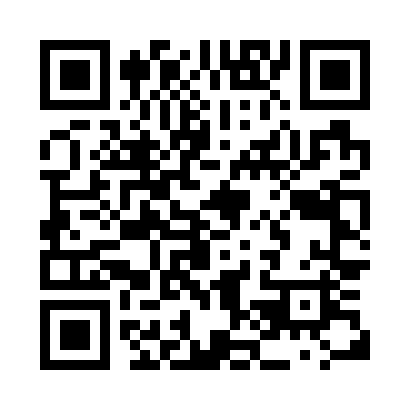
Reading this on a computer? Scan this with your phone's camera to open this page there, the app has to end up on the phone you'll actually use it on.
What your phone will ask, and what to tap
Android puts three prompts between you and any app that did not come from the Play Store. All three are expected here. None of them mean something is wrong with this app, they mean it arrived as a file rather than through a shop, and Android says the same thing about every app that does.
- “This file might be harmful”, from your browser, as the download starts. Choose Download anyway. Chrome shows this for app files in general, whoever made them; it is a statement about how the file reached you, not about what is in it.
- “Allow installs from this source”, tap through to the setting and turn it on for your browser. This is the one worth understanding: it is the permission that lets anything outside the Play Store be installed at all, and it is reasonable that Android makes you say so on purpose.
- Play Protect may say it does not recognise the developer choose Install anyway. It means Google has not seen this app before, which is true: it is not in the Play Store.
That is the shape of it today. From 2027 Google intends to require whoever publishes an app to register with Google first, and the route for an app whose publisher has not takes a day rather than a tap. What that changes, what it costs you, and the kind of phone it cannot reach are on who decides what you can install.
If you would rather check than take our word for it, the file you download should have this fingerprint, and the installed app should be signed by us:
-
File (SHA-256):
published alongside the download
verify withshasum -a 256 flamenet-messenger.apk -
Signed by
CN=Flamenet Messenger, O=Extant 2000 LLC, certificate SHA-256791fc826d572a70abfaf7db7fa7784dad0f86f204bb313f0d75ee676df8d3a1d
verify withapksigner verify --print-certs flamenet-messenger.apk
We cannot make these prompts go away, only shipping through the Play Store would, and that would mean handing Google the list of who installs this. That is a trade we would rather not make, so we would sooner explain the prompts than avoid them.
F-Droid, once the app is back
The repository serves the same build as the direct download, so whichever route you take you get the same signed file. The instructions below do not change between releases.
F-Droid is an open-source app store for Android. Adding our repository to it means updates arrive on their own, and Android's warnings about unknown apps happen once, when you install F-Droid, instead of every time we publish a release.
Install F-Droid, then open this link on your phone:
Or add it by hand:
https://flamenetmessenger.com/fdroid/repo
Fingerprint
DD342CC7F498FDE05BE63EFDDB56ED731BAD70BB32AC1D6D8DBAB0EA7511F38B
F-Droid checks this when you add the repository, which is what stops
somebody who can interfere with your connection handing you a
different one.
The builds here are the same signed files as the direct download. This is our own repository, not a listing on f-droid.org, so the app keeps our signature and installs over one you already have.
How to know it is really ours
The source is public and the licence lets anyone rebuild it, so “it looks like Flamenet Messenger” proves nothing on its own. Here is what actually settles it, strongest first.
1. The signing key, and Android enforces this one for you
Every build we publish is signed with a key only we hold:
CN=Flamenet Messenger, O=Extant 2000 LLC
certificate SHA-256
791fc826d572a70abfaf7db7fa7784dad0f86f204bb313f0d75ee676df8d3a1d
This is not only a label you can check. Android acts on it. An app
signed with a different key cannot install over one
signed with ours; the phone refuses outright. So somebody else’s
rebuild can exist, but it cannot become an update to the app you already
have, and it cannot quietly take its place. Check it yourself with
apksigner verify --print-certs flamenet-messenger.apk.
2. The published build matches the published source
A signature proves who released a file, not what went into it. So the Android build is reproducible: compile the public source yourself and every entry in the resulting APK is byte-identical to the one we publish. Only the signature block differs, because signing is randomised, which is why comparing whole-file hashes is the wrong test, and why there is a script that compares the right thing:
./gradlew clean :app:assembleRelease
python3 scripts/verify-build.py \
    app/build/outputs/apk/release/app-release.apk \
    ~/Downloads/flamenet-messenger.apk
CONTENTS MATCH, plus the certificate above, is the whole chain: the bytes on your phone are the bytes your own compiler produced from the source you can read, released by the key we hold. You do not have to take our word for either half.
3. The F-Droid repository is pinned twice over
Our repository refuses to serve any build not signed by the certificate above, and its index is signed with a separate key that F-Droid pins the first time you add the repository:
repository fingerprint
DD342CC7F498FDE05BE63EFDDB56ED731BAD70BB32AC1D6D8DBAB0EA7511F38B
That pinning is what stops somebody who can interfere with your connection substituting a different repository later, but it only works if the fingerprint reached you by a route they do not control, which is why it is printed here rather than only handed over by the repository itself.
What none of this stops, said plainly
Anyone may fork this and publish their own version, the licence allows it and we would not want it otherwise. What they cannot do is sign it as us, upgrade an install of ours, or pass the check above against our fingerprint.
The weak moment is your first install, when you have nothing earlier to compare against and are relying on having arrived at the real site. If somebody sent you here, the fingerprints above are worth comparing against a copy from somewhere else, a second device, a different network, someone you already trust.
A couple of other things worth knowing
Because it installs directly, nothing updates it for you. From version 0.2 the app checks whether a newer build has been published and tells you, and there is a Check for updates button in Account if you would rather ask. It asks the relay you are signed in to, not us, a self-hosted server that publishes no release simply produces no prompt. Installing a newer APK over the top keeps your messages and your account.
There is no version that runs in a web browser, and that is a deliberate choice rather than something still on the list. A web page is delivered afresh by the server every time you open it, so how private it is depends on trusting whoever served it that day. An app you have installed doesn't work that way, which is why we went in that direction.